
My site scored 5/100 for AI accessibility. The fix was one Cloudflare setting.
A security toggle was challenging AI crawlers before they could read a page, while the site looked completely normal to people, to Googlebot and to analytics.
My website is two months old, and it isn't how I get clients. But when an AI-accessibility scan gave it a 5 out of 100, I wanted to know what had gone wrong.
The answer was one Cloudflare toggle.
My site looked normal to people, to Googlebot, and to analytics, while a whole category of automated visitor was being challenged before it could read a page.
This was never an optimization story. It was an access story. Here is the whole thing, including what the score is worth and what it isn't.
First: what this score actually measures
I ran whizops.io through is-agentic.com. It's a free scanner Vercel launched with the AI-search research company Ora on August 20, 2026. You type a domain, it answers one narrow question: can an AI agent reach, read and operate this website?
Three things are worth knowing before you run it:
- The scoring. Essential checks share 80 points (crawler access, server-rendered content, real HTTP status codes, usable controls). Recommended checks share 20 (sitemap, structured data, metadata, trust pages). Newer conventions like
llms.txtsit in a small bonus pool. It's an emerging convention, not an established ranking lever, and missing it costs you nothing. - Checks that don't apply are excluded, not failed. A brochure site isn't punished for having no API. That's fair, and it also caps how high a simple site can go.
- Scans are cached for six hours. Fix something, rescan immediately, and you may just be looking at the old result. That confused me for a minute.
And the limit, in their own words: "a high score is not a security, accessibility, quality, compliance, or compatibility certification."
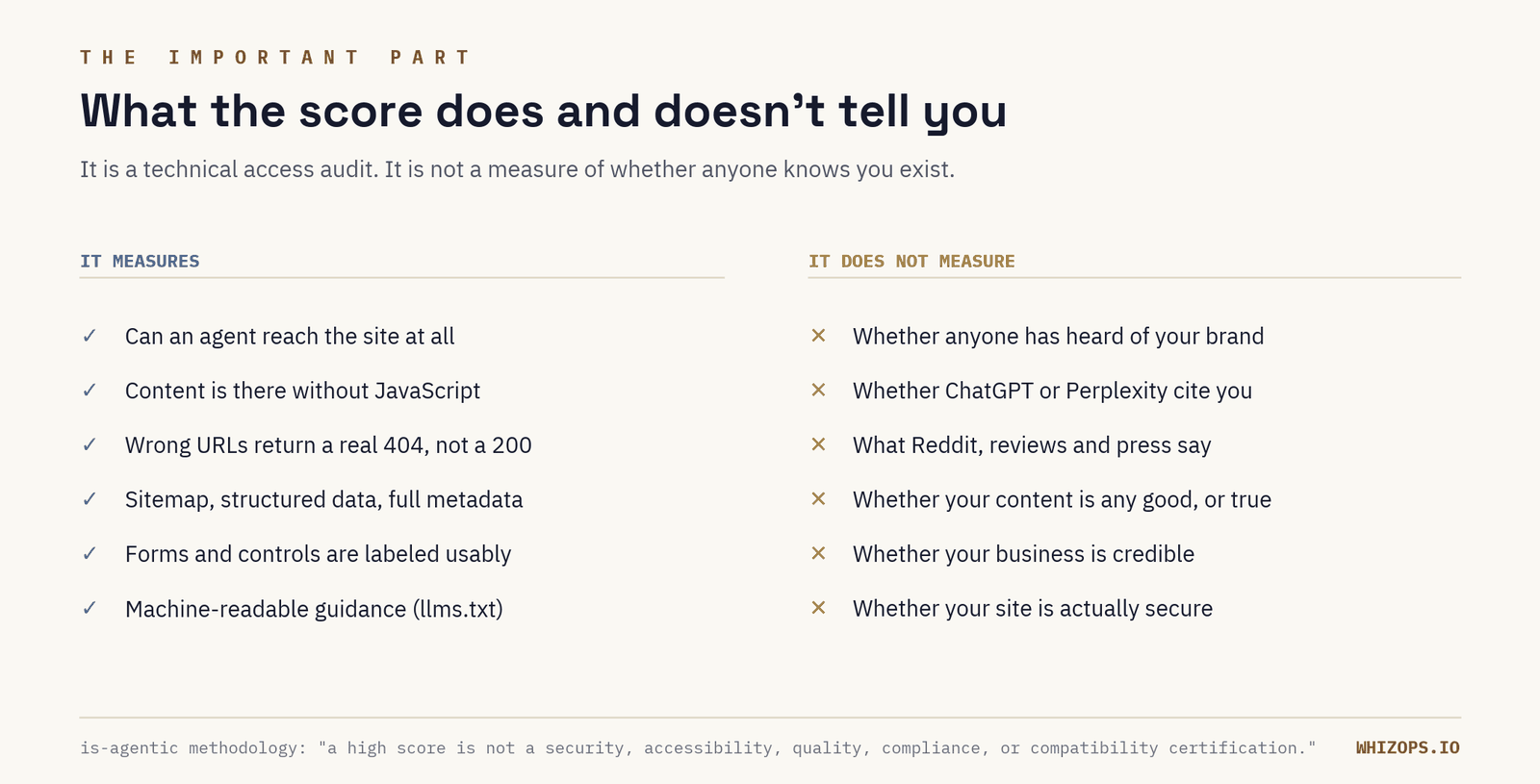
A high score does not mean AI knows who you are. It means a machine can get in the door and describe what it found. Whether you get named in an answer is shaped by a mix of things: how clearly your site states what you do, your authority, and what third parties say about you. The weighting varies by platform and by question. Access is the floor. It isn't the ranking.
That's the one distinction I'd want a reader to take away, and the reason a bad score is worth ten minutes of your time even if you never think about AI search again.
The fix: a security setting that outranked my own crawler policy
Three days before the scan, I'd put whizops.io behind Cloudflare. Carefully: SSL Full (strict), Always Use HTTPS, WAF and DDoS protection on, AI crawler policies deliberately set to Allow, robots.txt training block off. I checked the AI bot settings twice.
Then I switched on Bot Fight Mode.
That toggle doesn't consult your crawler policy. It challenges clients that don't look like a human in a browser, and an AI agent doesn't look like a human in a browser. My careful "Allow" settings were sitting one layer behind a challenge that fired first.
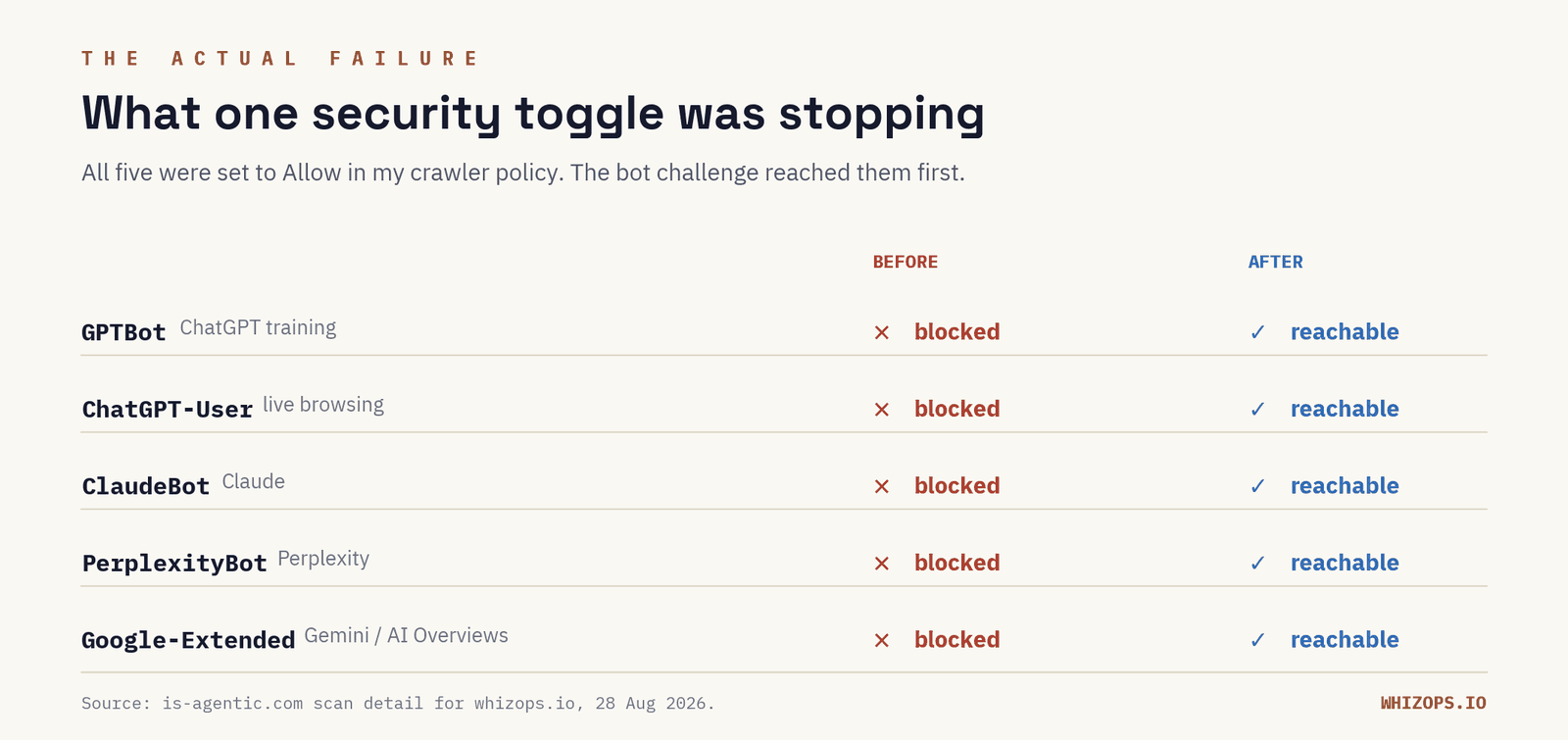
Every essential check failed. 0 of 80 points. Not because the pages were bad. Nothing ever saw a page.
The part worth repeating: nothing breaks. No error, no traffic cliff, no alert. The site was fine in my browser, Googlebot was fine, analytics looked normal.
What changed
I turned Bot Fight Mode off and kept the WAF, DDoS protection, strict SSL and forced HTTPS. Then a handful of small fixes: a real privacy page, a 404 that returns an actual 404 instead of a 200, a path-preserving redirect on a second domain, some old deploy folders cleaned off the server.
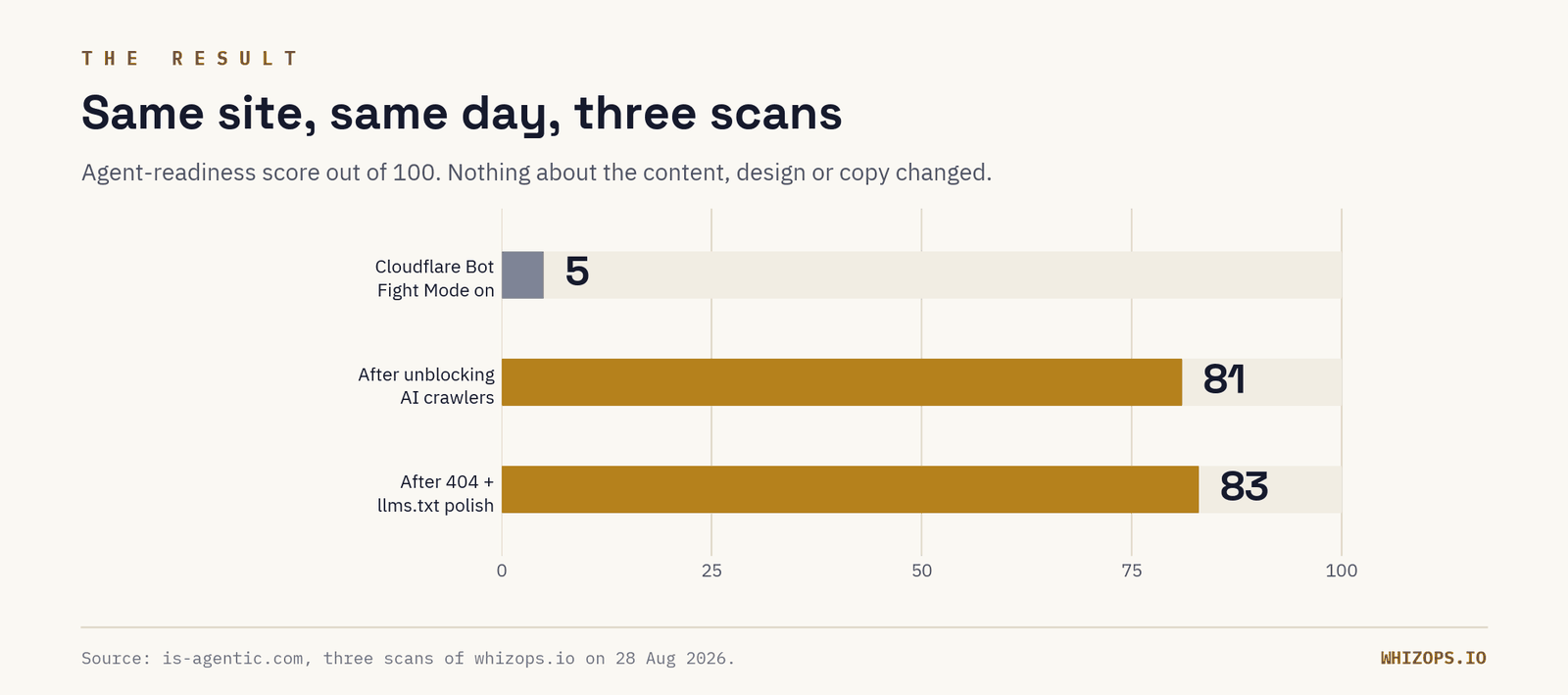
Same content. Same design. Same copy. I didn't write one new page of marketing material.
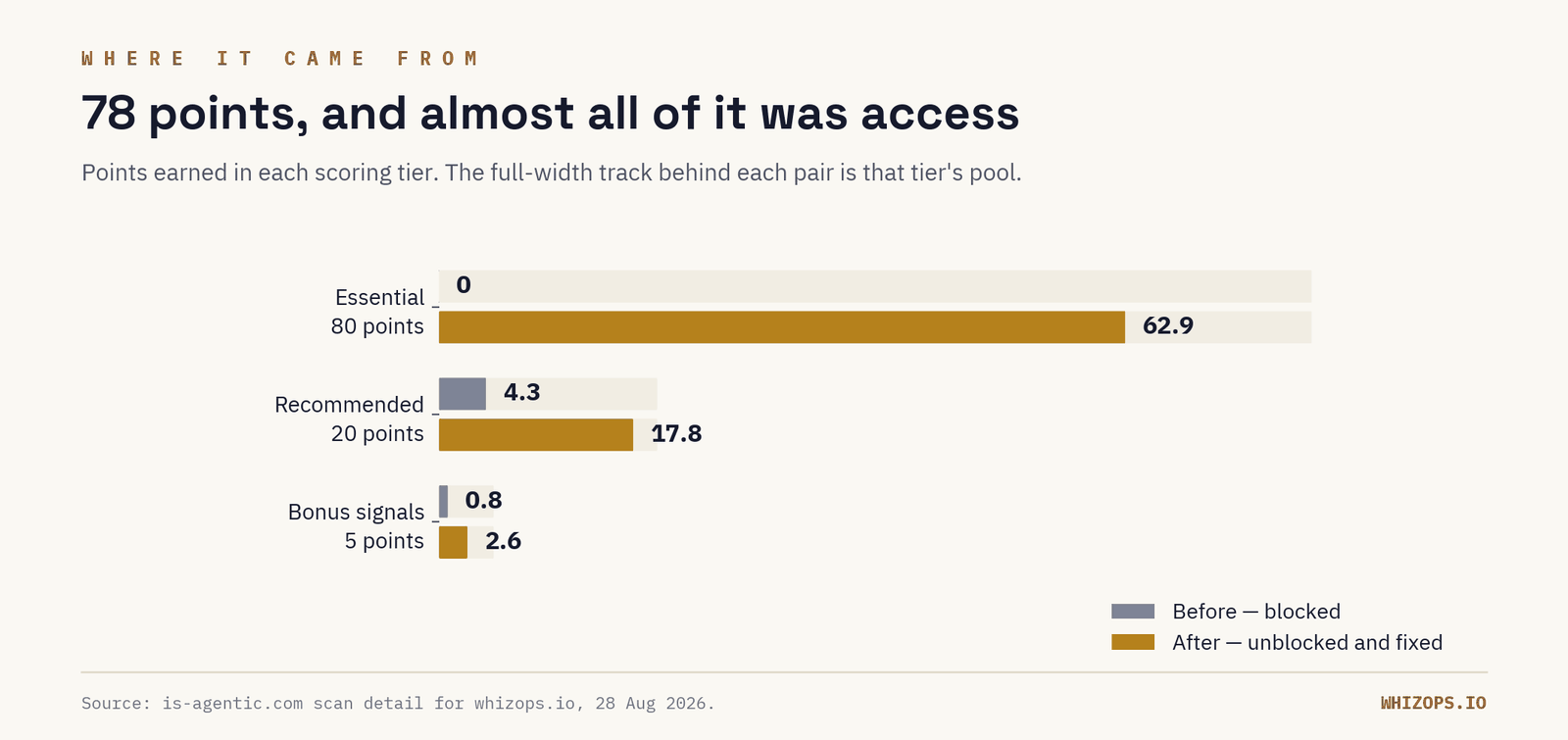
The sitemap, structured data, metadata and llms.txt were already there, doing nothing, because nothing could reach them.
Four things are still flagged, and I'd rather show the gaps than pretend at 100: a missing Vary: Accept header, an incomplete Organization schema (I have no office address to publish yet), no standalone /about and /contact pages, and a 404 body the scan wants in markdown. I'm not chasing 100. I'm chasing "an agent can read this and describe my business correctly."
Should you care?
Sometimes no, and I'd rather say that than sell you an audit.
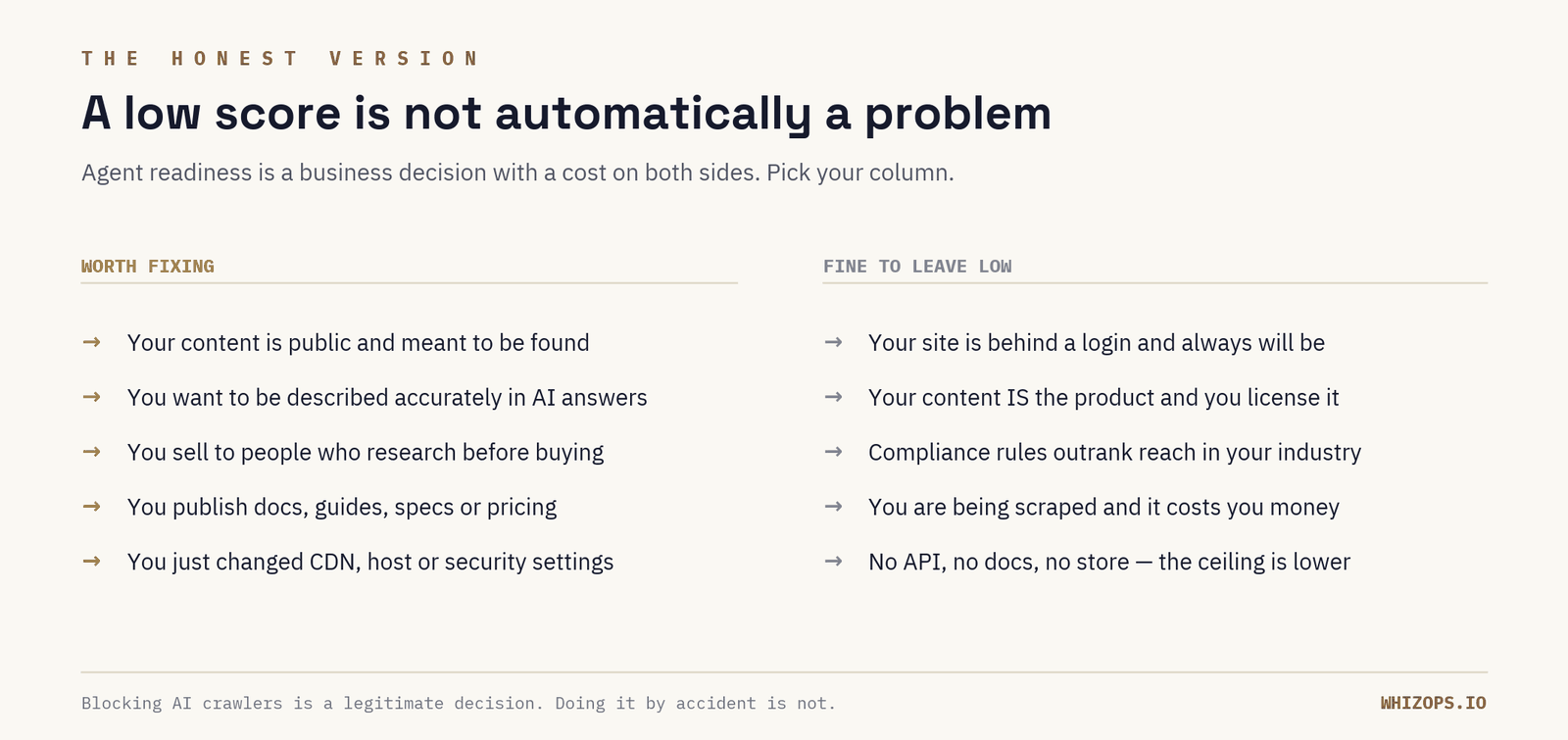
If you're behind a login, in a regulated industry where exposure costs more than reach, or a publisher watching AI crawlers take far more pages than they send visitors (Cloudflare's data on that is worth ten minutes), a low score may be exactly right. Blocking AI crawlers is a legitimate business decision. Doing it by accident, while telling people you want to be found by AI, is not, and that was my situation.
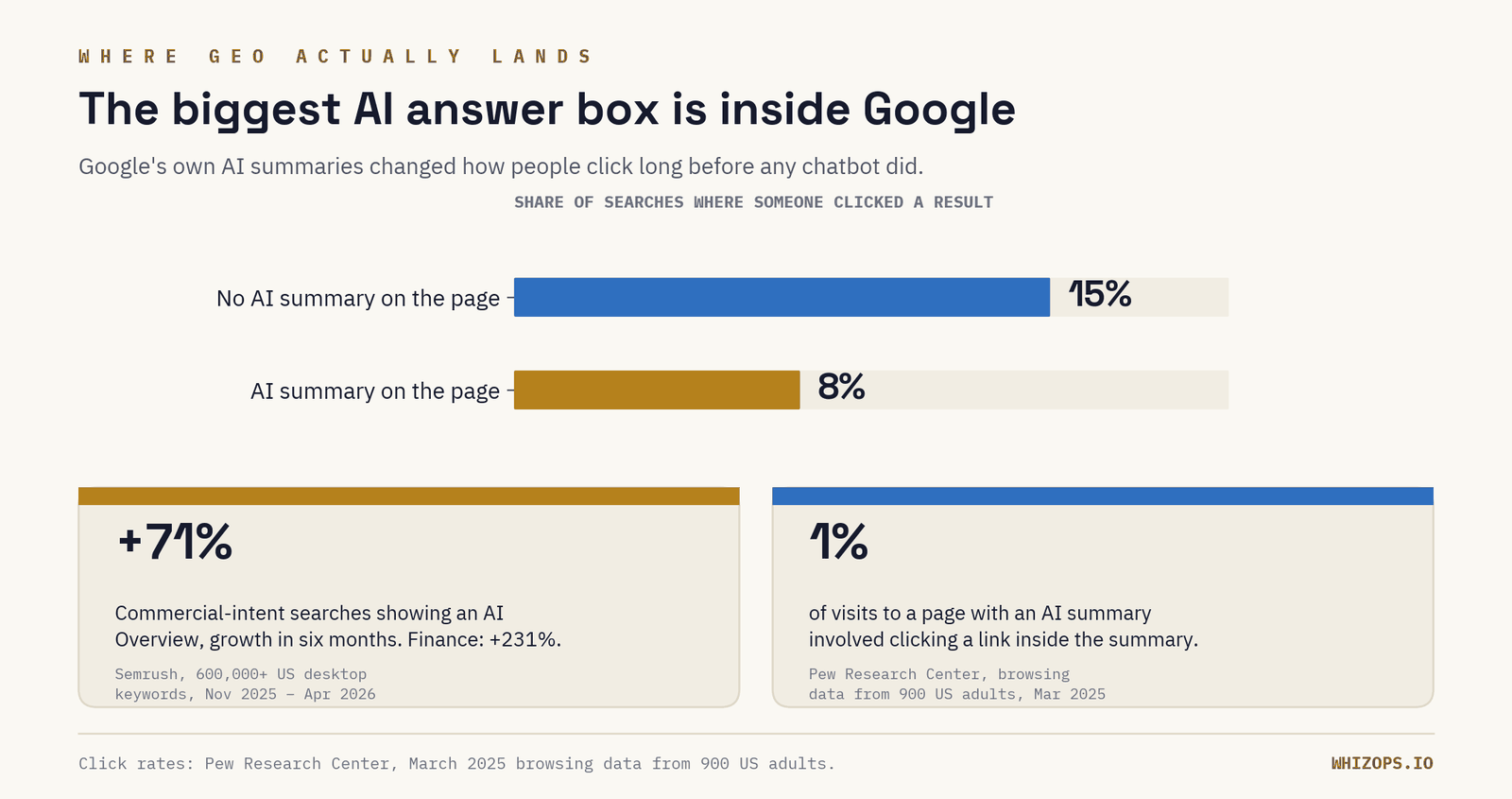
If your content is public and meant to be found, the case is simpler. Google's own AI summaries are the surface most likely to affect you first: Pew Research tracked 900 US adults and found people clicked a result 8% of the time when an AI summary was present versus 15% when it wasn't, and Semrush found AI Overviews spreading fastest into commercial searches, up 71% in six months across 600,000 keywords.
Which is the honest framing: this sits on top of SEO rather than replacing it. Everything you already do for search (crawlable pages, clear answers, real specifics) does double duty here.
A note on labels: "AEO" and "GEO" get used interchangeably, and nobody has settled the definitions. I use them loosely to mean the same thing: showing up inside AI-generated answers.
Your ten-minute version
- Run your domain through is-agentic.com and read only the Essential tier. That's where access problems live.
- If Essential is near zero, start by assuming an access problem, not a content problem. Check your CDN or firewall for a bot-challenge setting before you touch your site. On Cloudflare it's Bot Fight Mode, and it overrides your AI crawler policy.
- Visit a URL on your site that doesn't exist. If it returns a 200 instead of a 404, fix that. Common, invisible, cheap.
- Re-run it after any host, CDN or security change. That's when this breaks silently. Mind the six-hour cache.
Mine was 5, and the fix was a toggle. If your Essential tier is at zero, tell me what CDN you're on and I'll tell you where the switch usually is.